
ユーザーにテストを割り当てる方法
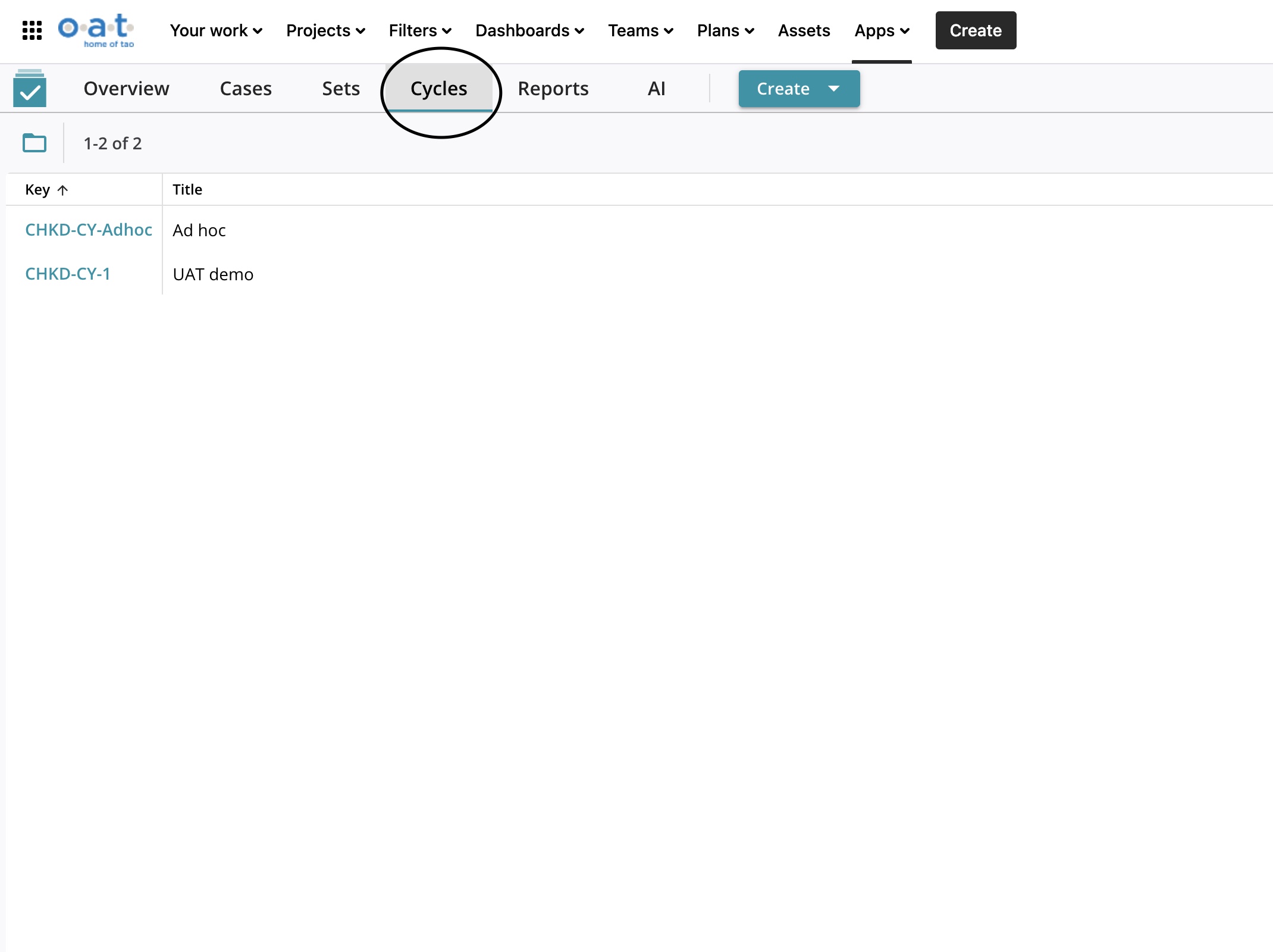
AIOプログラムに入ったら、クリックしてサイクル。これによりUATデモに移動しますので、UATデモを選択してください。
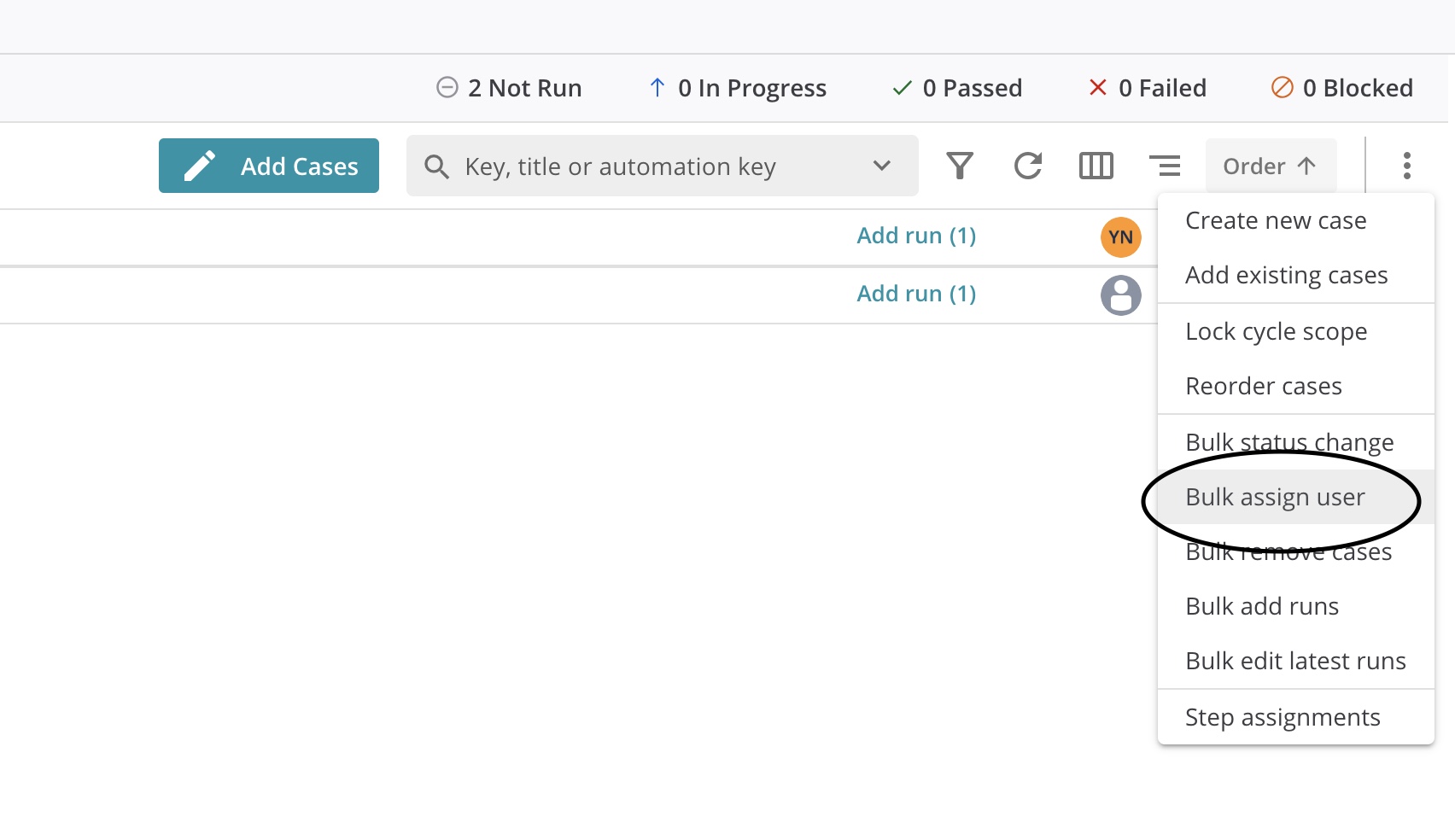
右側にある3つのドットをクリックし、Bulk assign user(ユーザーの一括割り当て)を選択します。
テストを選択し、画面右側の「ユーザーの割り当て」をクリックします。

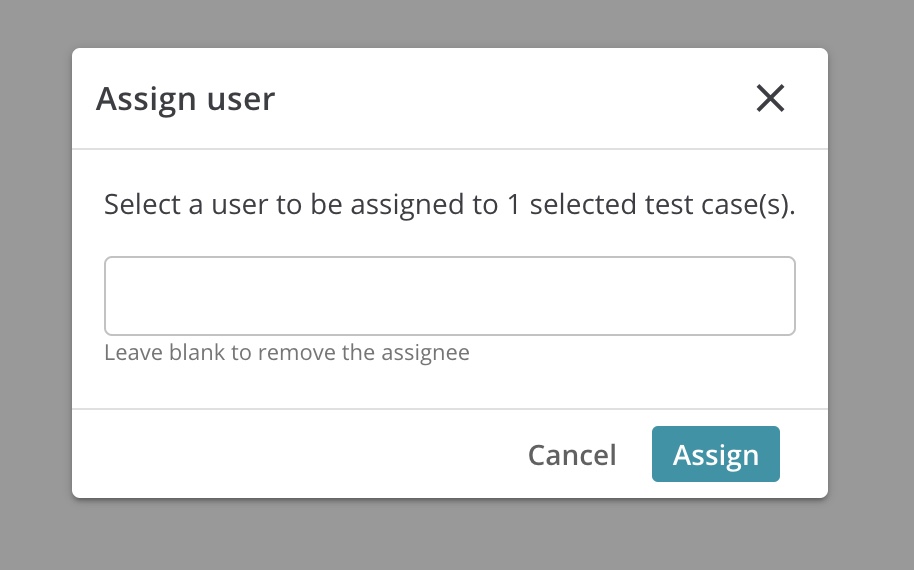
ユーザーを選択し、割り当てボタンをクリックします。
AIOプログラムに入ったら、クリックしてサイクル。これによりUATデモに移動しますので、UATデモを選択してください。
右側にある3つのドットをクリックし、Bulk assign user(ユーザーの一括割り当て)を選択します。
テストを選択し、画面右側の「ユーザーの割り当て」をクリックします。
ユーザーを選択し、割り当てボタンをクリックします。